
 No Comments
In the modern era, our lives are intrinsically linked to digital displays. From the moment we wake up to the minute we go to bed, we move from smartphones to laptop screens, tablets, and televisions. While this digital revolution has brought immense convenience and connectivity, it has also introduced a significant challenge for our ocular health: eye strain from screens. Whether you are a software professional in Lucknow, a student attending online classes, or someone who enjoys late-night scrolling, your eyes are likely working harder than they ever have before.
At the clinic of Dr. Charu Chaudhary, a trusted eye specialist in Lucknow, we have seen a dramatic rise in patients complaining of “tired eyes,” persistent headaches, and dry sensations. These aren’t just minor inconveniences; they are signs that your visual system is being pushed beyond its natural limits. Understanding how to manage this digital fatigue is essential for maintaining long-term vision health and daily productivity.
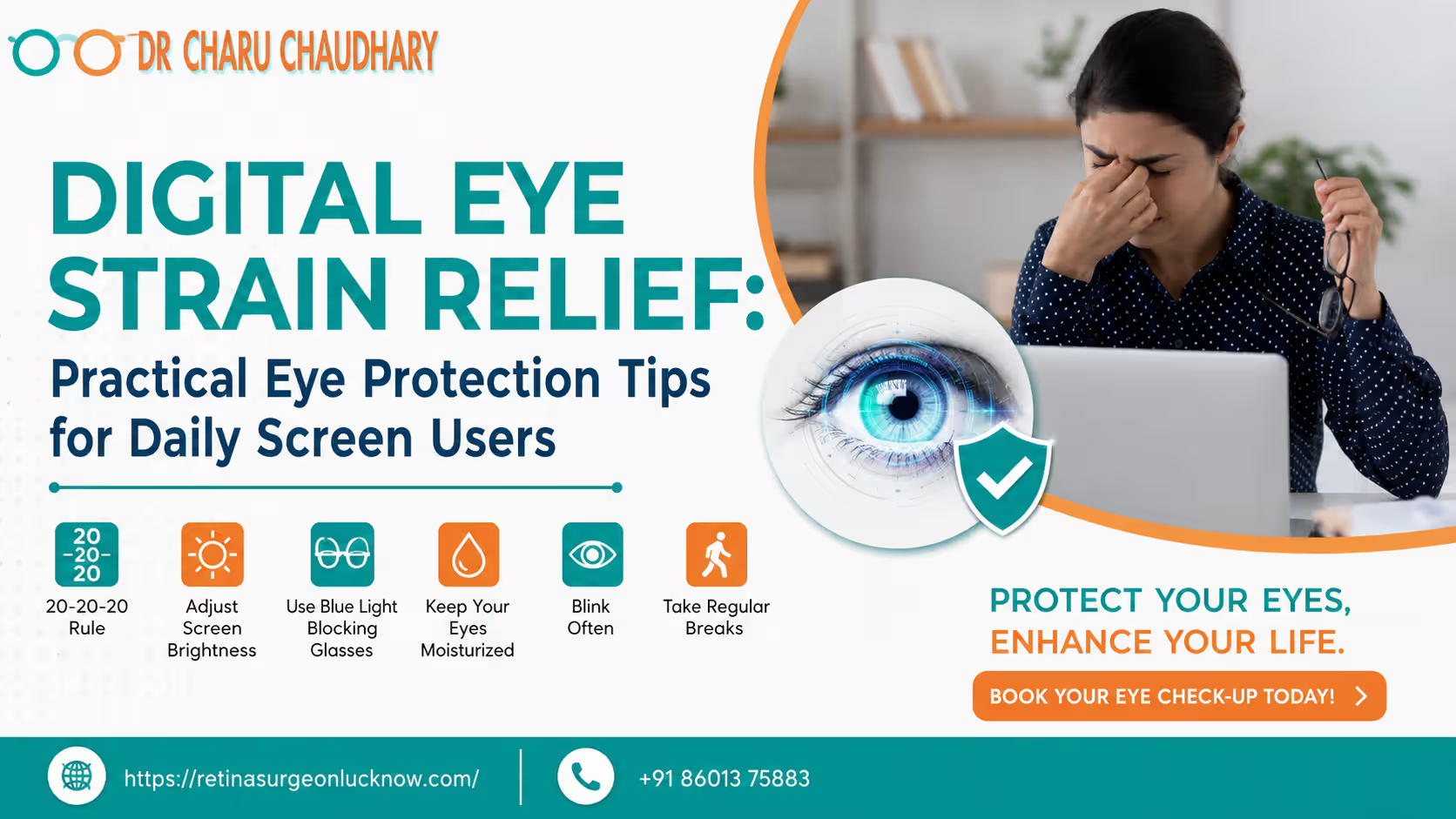
Eye strain from screens can cause dry eyes, headaches, blurry vision, and fatigue due to prolonged digital exposure. Healthy screen habits, regular breaks, proper lighting, and eye care practices may help reduce digital eye strain symptoms.
What Is Digital Eye Strain?
Digital Eye Strain (DES), often referred to medically as Computer Vision Syndrome (CVS), is a group of eye and vision-related problems that result from prolonged computer, tablet, e-reader, and smartphone use. Unlike reading a printed page, digital screens emit light, flicker slightly, and often have glare. This requires our eye muscles to constantly adjust and refocus, leading to exhaustion.
When you look at a screen, your eyes must maintain a specific level of tension to keep the image sharp. This is much like holding a heavy weight at arm’s length; eventually, the muscle begins to ache. Because digital characters are made of pixels rather than solid ink, they have less contrast and “softer” edges, making it even harder for the brain to process the image, further increasing the demand on the visual system.
Common Symptoms of Eye Strain from Screens
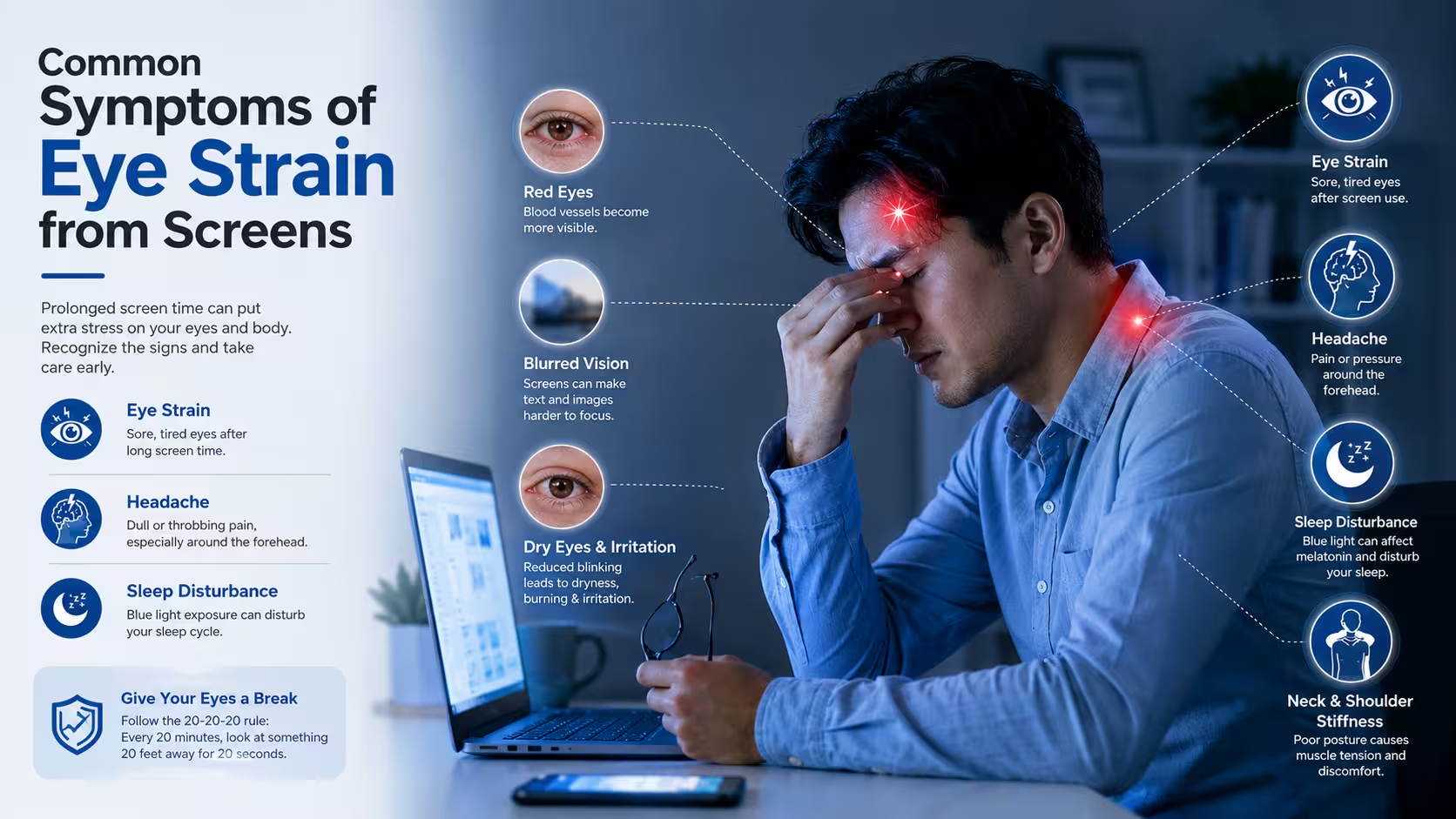
Many people experience symptoms of digital eye strain without realizing the root cause. If you spend more than two hours a day on a device, you may notice:
- Dry and Irritated Eyes: You might feel a “gritty” sensation, as if there is sand in your eyes. This happens because we blink 66% less often when looking at screens.
- Headaches: Often felt behind the eyes or at the temples, these are usually tension-based.
- Blurry Vision: After a long day of work, you might find it hard to focus on distant objects or notice that text on the screen seems to “ghost” or double.
- Burning or itching: A common sign of surface dryness and inflammation.
- Eye Fatigue: A general feeling of “heaviness” in the eyelids or a struggle to keep the eyes open.
- Watery Eyes: Ironically, dry eyes can trigger a reflex that causes excessive tearing.
- Neck and Shoulder Pain: This is often caused by “turtling”—leaning forward to see the screen better—which strains the musculoskeletal system.
Why Screens Affect Eye Health
To protect your vision, it is vital to understand the “why” behind the strain. Several factors contribute to the discomfort we feel after hours of digital usage.
1. The Blinking Problem
Under normal circumstances, humans blink about 15–20 times per minute. Blinking spreads a fresh layer of tears across the cornea, keeping it moist and clear. However, when we concentrate on a digital screen, our blink rate drops significantly. This leads to “tear film instability,” where the moisture on the eye evaporates faster than it can be replaced.
2. Blue Light Exposure
Digital devices emit High-Energy Visible (HEV) light, commonly known as blue light. While the sun is the largest source of blue light, the proximity of our screens and the duration of exposure are what concern eye specialists. Blue light can scatter more easily, reducing contrast and forcing the eyes to strain to see clearly. Furthermore, exposure to blue light in the evening suppresses melatonin, the hormone responsible for sleep.
3. Glare and Reflections
Light reflecting off your screen from overhead lamps or windows creates glare. This forces your eyes to work harder to distinguish the text from the background reflections.
4. Poor Ergonomics
The distance and angle at which we hold our devices matter. Laptops are often placed too low, and smartphones are held too close, forcing the eyes into an unnatural inward-turning position (convergence) for long periods.
📊 Digital Eye Strain Symptoms vs. Healthy Eye Habits
Understanding the relationship between your habits and your symptoms is the first step toward relief. Use the following chart to identify changes you can make today.
| Common Problem | Possible Cause | Healthy Habit |
| Dry Eyes | Reduced blinking during screen use | Blink consciously and use artificial tears |
| Headache | Screen glare and high brightness | Adjust brightness and use anti-glare filters |
| Blurry Vision | Long focus time at a fixed distance | Follow the 20-20-20 rule |
| Eye Fatigue | Excessive screen time without rest | Take regular 5–10 minute breaks |
| Neck Pain | Poor posture (slouching) | Use ergonomic seating and monitor stands |
Note: While these habits significantly reduce discomfort, persistent issues should always be evaluated by a professional like Dr. Charu Chaudhary to rule out underlying refractive errors.
Step-by-Step: How to Reduce Eye Strain from Screens
Protecting your eyes doesn’t require expensive equipment; it requires consistency. Here is a practical guide to creating a vision-friendly digital environment.
Step 1: Follow the 20-20-20 Rule
This is the “gold standard” of digital eye care. Every 20 minutes, look at something 20 feet away for at least 20 seconds. This allows the ciliary muscles inside your eye—which are responsible for focusing—to relax. Looking into the distance is like stretching your legs after a long flight; it releases the built-up tension.
Step 2: Adjust Screen Brightness and Contrast
Your screen should not be a light source that competes with the room. If your screen looks like a glowing light bulb in a dark room, it’s too bright. If it looks dull or grey, it’s too dark. Aim to match the screen’s brightness to the surrounding ambient light. Also, ensure the contrast is high (black text on a white/off-white background is usually best for the eyes).
Step 3: Increase Blinking Frequency
Post a “Blink!” sticky note on your monitor. Whenever you see it, take three slow, full blinks. This simple act re-lubricates the eye and prevents the burning sensation associated with eye strain from screens.
Step 4: Maintain Proper Viewing Distance
For desktop and laptop users, the screen should be about an arm’s length (20–28 inches) away from your face. The center of the screen should be about 10–15 degrees below eye level. This positioning reduces the amount of the eyeball exposed to the air, which helps minimize evaporation of the tear film.
Step 5: Use Artificial Tears if Recommended
If you live in a dry climate (like parts of Uttar Pradesh during summer) or work in an air-conditioned office, your eyes will dry out faster. Preservative-free lubricating eye drops can provide immediate relief. However, avoid “redness-relief” drops, as these can cause “rebound redness” once they wear off.
Step 6: Reduce Screen Time Before Sleep
Stop using digital devices at least one to two hours before bed. If you must use them, switch to “Night Mode” or install blue-light filtering software to minimize sleep disruption.
Step 7: Get Regular Eye Checkups
Sometimes, digital eye strain is actually an undiagnosed vision problem (like slight astigmatism or farsightedness) that becomes obvious only when using a computer. A comprehensive eye exam can determine if you need “computer glasses” specifically prescribed for digital distances.
Best Screen Settings for Comfortable Vision
Your device’s factory settings are rarely optimized for eye comfort. Here is how to tweak them:
- Dark Mode: Many users find that “Dark Mode” (light text on a dark background) reduces glare, especially in low-light environments. However, for reading long documents, “Light Mode” with reduced brightness is often better as it prevents “haloing” around text.
- Font Size: If you find yourself leaning forward to read, increase the font size. You should be able to read comfortably while sitting back in your chair.
- Color Temperature: Use “Warm” settings. Blue light is “cool” (shorter wavelength); warm tones (yellow/orange) are much easier on the retina.
- Anti-Glare Filters: If you work near a window, an anti-glare film for your monitor can significantly reduce reflections.
How Mobile Phones and Laptops Affect Sleep and Eye Health
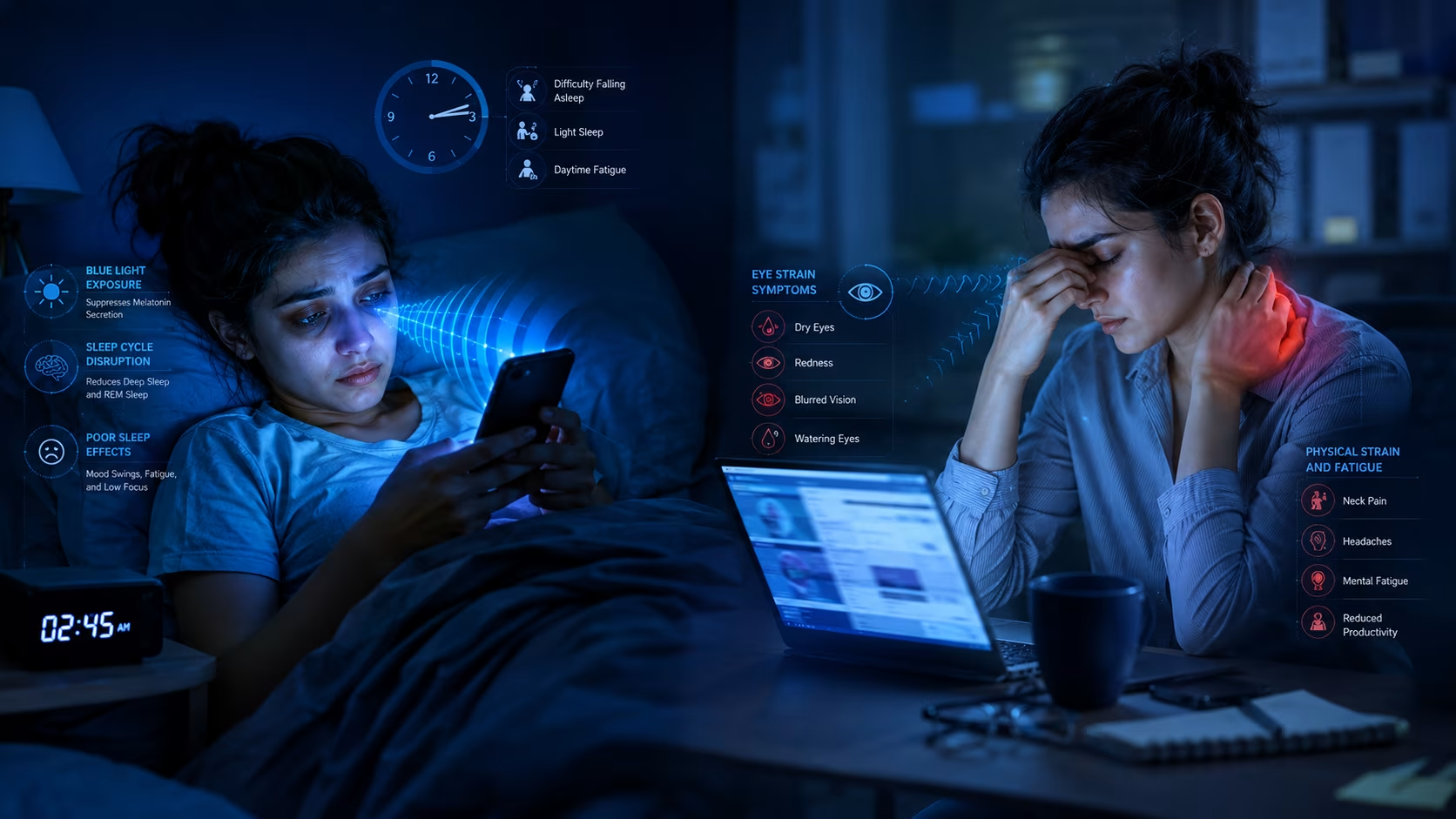
The impact of screens extends beyond the eyes—it affects our entire circadian rhythm. The blue light emitted by phones and laptops signals to our brain that it is daytime. This inhibits the production of melatonin, making it harder to fall asleep and reducing the quality of deep sleep.
The result? You wake up with “heavy” eyes the next morning, making you even more susceptible to eye strain from screens the following day. This creates a cycle of chronic fatigue and ocular irritation. For those in Lucknow struggling with insomnia or morning eye puffiness, looking at your screen habits is a great place to start.
Eye Exercises and Daily Habits for Better Eye Comfort
Think of these exercises as “yoga for the eyes.” They are designed to improve flexibility and reduce the “locked-in” feeling of staring at a fixed point.
- Palming: Rub your palms together to generate heat, then gently place them over your closed eyes (without pressing on the eyeballs). Breathe deeply and let the warmth soothe the eye muscles.
- Focus Shifting: Hold your thumb a few inches from your face. Focus on it for 5 seconds. Then, focus on something 10 feet away. Then, focus on something 20+ feet away. Repeat 5 times.
- The Figure Eight: Imagine a giant number ‘8’ on the floor about 10 feet in front of you. Slowly trace it with your eyes for a minute, then reverse the direction.
- Hydration & Nutrition: Drink plenty of water. Your tear film relies on your body being hydrated. Additionally, foods rich in Omega-3 fatty acids (like walnuts and flaxseeds) and Vitamin A help maintain the oily layer of your tears.
- Outdoor Time: Spending time in natural sunlight (with UV protection) helps reset your internal clock and gives your eyes a break from the “near-work” of digital life.

A Real-Life Perspective: The “Work-from-Home” Patient
Consider the case of a patient we recently treated in Lucknow. “Ananya,” a 28-year-old software developer, complained of worsening headaches and “foggy” vision by 4 PM every day. She assumed her eyesight was failing.
Upon evaluation, we found her vision was perfect (6/6), but her “blink rate” was nearly zero during work hours, and her home office setup had a window directly behind her, causing massive glare on her screen. By implementing a “glare-free” workspace, using the 20-20-20 rule, and applying lubricating drops, her headaches disappeared within a week. This illustrates that eye strain from screens is often a lifestyle issue that can be corrected with the right habits.
Special Note for Parents
With the rise of digital learning, children are also suffering from digital eye strain. Unlike adults, children may not complain of “strained eyes”; instead, they might become irritable, rub their eyes frequently, or experience a decline in academic performance. Encourage the “1-hour on, 1-hour off” rule for recreational screen time for children.
When Should You Visit an Eye Specialist?
While lifestyle changes help most people, there are times when professional intervention is necessary. You should book an appointment if you experience:
- Persistent Blurry Vision: If your vision doesn’t clear up after a 20-minute break.
- Chronic Headaches: Especially if they occur daily and are localized around the eyes.
- Severe Dryness: If your eyes feel “sticky” or painfully dry.
- Double Vision: Seeing two of the same object is a sign that your eye muscles are struggling to coordinate.
- Sudden Vision Changes: Any sudden loss of vision or new “floaters” requires immediate attention.
Experts like Dr. Charu Chaudhary, recognized as a trusted Best eye specialist in Lucknow, may help evaluate persistent digital eye strain symptoms properly through a comprehensive binocular vision assessment.
Can Digital Eye Strain Cause Permanent Damage?
The good news is that digital eye strain is usually temporary. Most symptoms resolve once you stop using the device or improve your screen habits. However, chronic neglect of these symptoms can lead to:
- Chronic Dry Eye Syndrome: Which may require long-term medical management.
- Myopia Progression: In children and young adults, excessive near-work (like looking at phones) is linked to the development and worsening of nearsightedness.
- Decreased Productivity: Chronic discomfort makes it harder to concentrate, leading to mental fatigue.
While it may not cause “permanent blindness,” it significantly impacts your quality of life. Prevention through healthy habits is always better than trying to treat advanced discomfort later.
Final Thoughts
Digital screens are an inseparable part of modern life, but they don’t have to be the enemy of your vision. By making small, daily changes—like adjusting your chair, following the 20-20-20 rule, and being mindful of your lighting—you can protect your eyes from the modern epidemic of digital fatigue.
Remember, your eyes were not designed to stare at a glowing rectangle for 10 hours a day. Give them the grace and rest they deserve. Consulting experts like Dr. Charu Chaudhary, a trusted eye specialist in Lucknow, can help individuals manage persistent eye strain from screens and maintain healthier vision for years to come.
Frequently Asked Questions (FAQs)
Q.What causes eye strain from screens?
Eye strain from screens is caused by several factors: reduced blinking (which dries the eyes), the demand of focusing on pixels, glare on the screen, and poor ergonomic positioning. All these factors force the ciliary muscles of the eye to work overtime without rest.
Q.Can digital eye strain cause blurry vision?
Yes. When the focusing muscles of the eye are overworked, they can experience a “spasm.” This makes it difficult for the eyes to relax and focus on distant objects, resulting in temporary blurry vision after using a computer or phone for a long time.
Q.How many hours of screen time is safe for the eyes?
There is no “magic number” that applies to everyone, but the American Heart Association and various eye health organizations suggest that adults should aim for frequent breaks (every 20 minutes). For children, non-educational screen time should generally be limited to 1–2 hours per day.
Q.Does blue light damage eyesight permanently?
Current research suggests that the amount of blue light from screens is not enough to cause immediate retinal damage or “blindness.” However, it significantly contributes to eye strain and can disrupt sleep patterns, which affects overall ocular and mental health.
Q.How can I reduce eye strain naturally?
You can reduce it naturally by staying hydrated, practicing the 20-20-20 rule, ensuring proper room lighting, eating a diet rich in leafy greens and Omega-3s, and making a conscious effort to blink more frequently.
Q.Are computer glasses useful for screen users?
Yes, they can be very helpful. Computer glasses have a specific prescription optimized for the intermediate distance (the distance to your monitor). They often include anti-reflective coatings and blue light filters that help reduce glare and improve contrast.
Q.Can eye strain cause headaches?
Absolutely. This is one of the most common symptoms. When the eyes struggle to focus, the muscles in the face, temples, and neck tighten, leading to what is known as a “tension headache.”
Q.When should I see an eye doctor for digital eye strain?
If your symptoms persist despite following healthy habits, or if you experience pain, sudden vision changes, or recurring headaches, you should see an eye specialist. A professional like Dr. Charu Chaudhary in Lucknow can check for underlying vision issues that might be worsening your strain.
Take Charge of Your Vision Health
Eye strain from screens has become increasingly common due to prolonged mobile, laptop, and digital device usage. Understanding healthy screen habits and recognizing symptoms early can help protect long-term eye comfort and vision health.
Don’t let digital fatigue hold you back. Consult Dr. Charu Chaudhary, the best eye specialist in Lucknow, for expert eye evaluation and personalized digital eye strain management guidance. Your eyes are your window to the world—keep them bright and healthy!


Leave A Comment